Visualizing In-Person, Amateur Chess Online
Live Pawn
•
In Progress
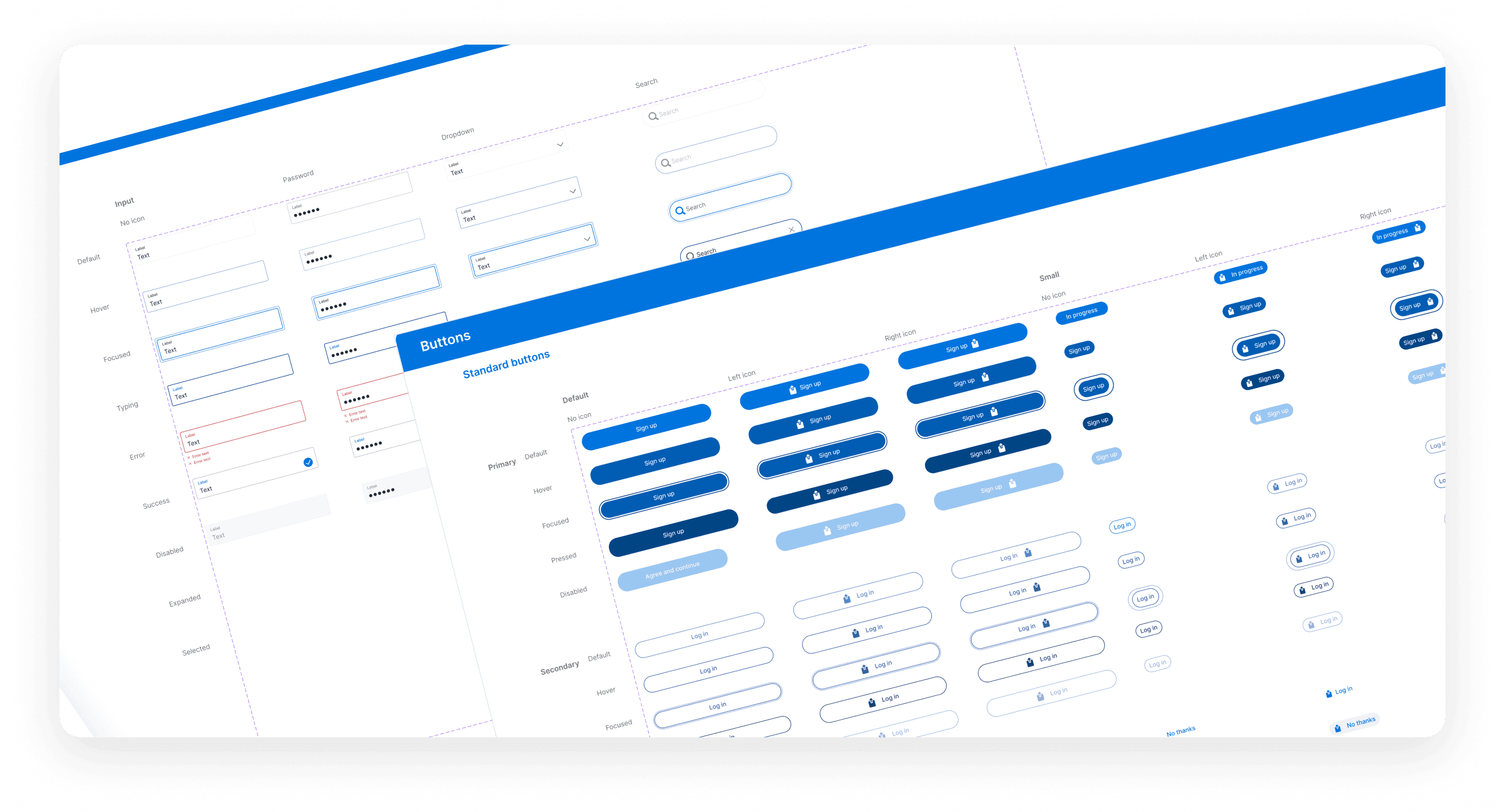
Context
As Live Pawn worked towards an MVP, shippable product, the UI started to break down.
Problem
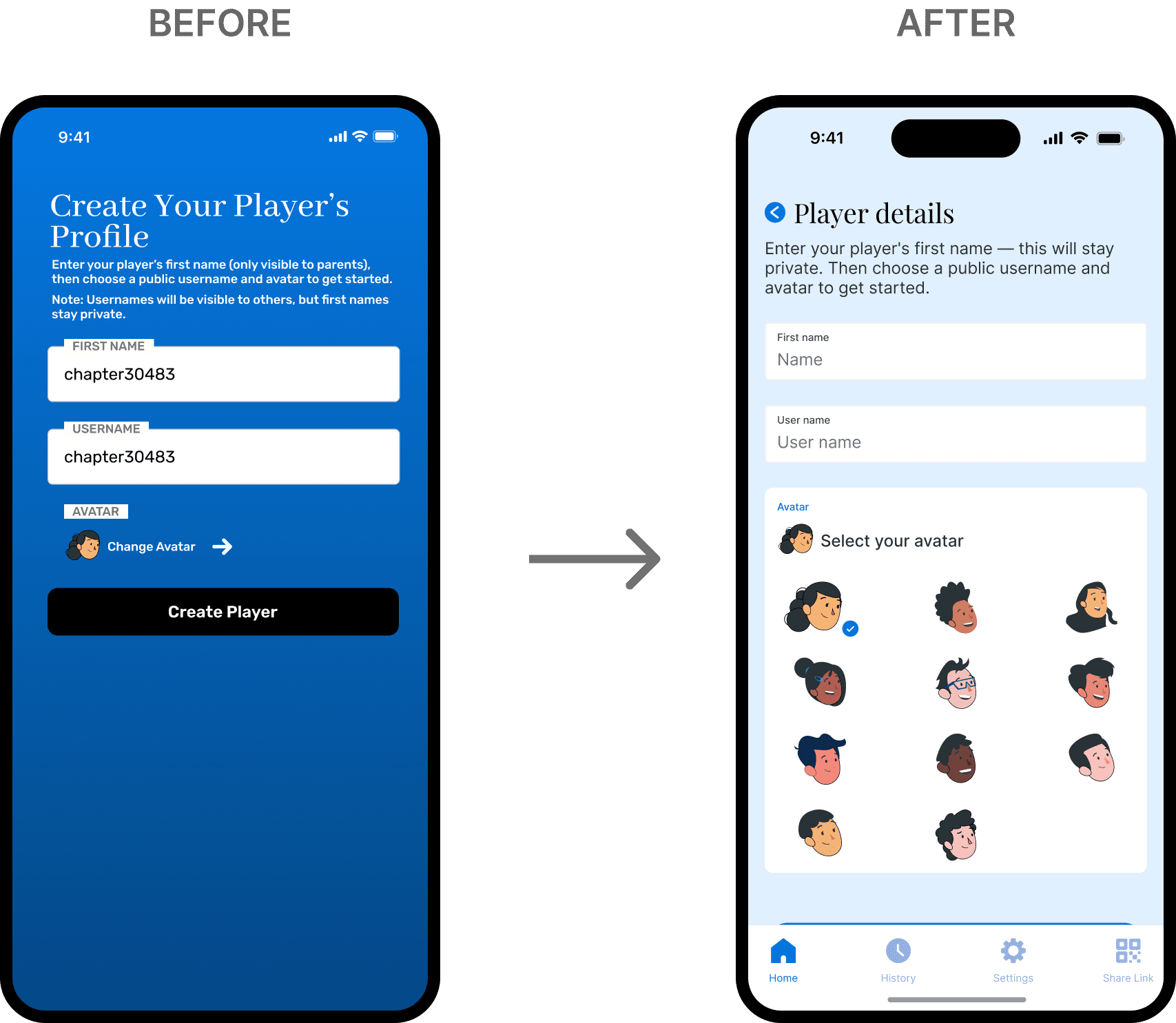
I observed inconsistent UI patterns, gaps in foundational elements, and key scenarios that weren’t fully accounted for.
The problems I saw
Inconsistent UI patterns across screens/panels
Unclear hierarchy between board, overlays, and analysis panel
No shared token foundation (colors, spacing, typography), making updates expensive
What success looked like:
Consistent component behavior across the product
Faster UI iteration (new features built from existing patterns)
Cleaner engineering handoff (shared naming + specs)
Research & UI Audit
I performed an audit to understand the various features and use cases on Live Pawn to understand where I needed to start.
01
+
Foundations
Color usage — semantic vs decorative
Typography hierarchy
Spacing and layout rules — consistency
Shadows, borders, radii — clear rules and usage
Motion and feedback (hover, press, loading)
Insights
Inconsistent spacing and type scales
Colors used without semantic meaning
No clear system for error, success, or focus states
02
+
Components
Buttons, inputs, modals, tooltips
Chess-specific UI (pieces, squares, highlights)
Repeated patterns vs one-offs
Component variants and states
Insights
Similar components behaving differently
Missing disabled, loading, or error states
Components re-created per screen
03
+
States & Feedback
Game states (turns, check, mate, promotions)
System states (loading, error, offline)
Computer vision confidence / uncertainty states
Selection and focus feedback
Insights
States handled inconsistently
Missing feedback in edge cases
Silent/unclear failures
Constraints
Strategy
I developed core design principles I'd leverage to help make trade-offs when needed:
01 Low cognitive load
Make it very easy for a user of any tech or chess level to quickly onboard
02 Scalability
Design with future features and capabilities in mind
03 Accessibility
Optimize contrast and focus states where applicable
Foundations
When I took ownership of the design, there was little to no existing documentation—only a shared folder containing a wide range of unstructured assets.
Starting with foundational elements was a deliberate strategic choice. Because these primitives are used across every product surface and domain, improvements here delivered immediate, compounding value.
SPACING, COLOR AND TYPOGRAPHY TOKENS

Atomic System
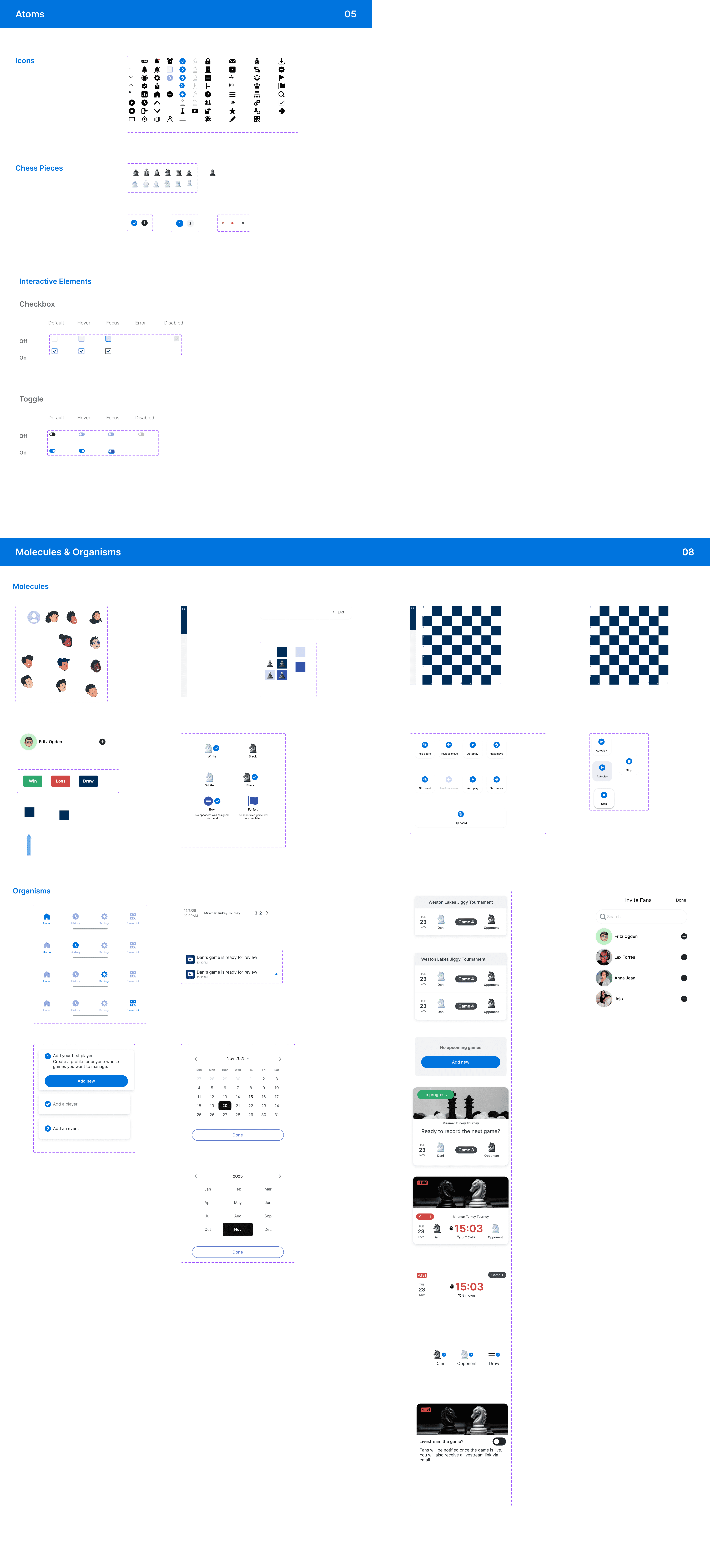
Using Brad Frost’s Atomic Design methodology as a structural reference, I reorganized our Figma elements into a component-driven architecture.
I separated design tokens, primitives (atoms), composite components (molecules), and higher-order patterns (organisms) into a dedicated, versioned library. Core foundations—such as color, typography, spacing, and radius—were defined as reusable tokens and referenced consistently across all components to prevent drift.
Components were built with explicit variant and state definitions (e.g. size, hierarchy, interaction, and status), leveraging Figma’s component properties to mirror how props are passed in code. Naming conventions for components, variants, and states were intentionally aligned with the internal code repository, creating a shared vocabulary between design and engineering.
SPACING, COLOR AND TYPOGRAPHY TOKENS
Scaling the System
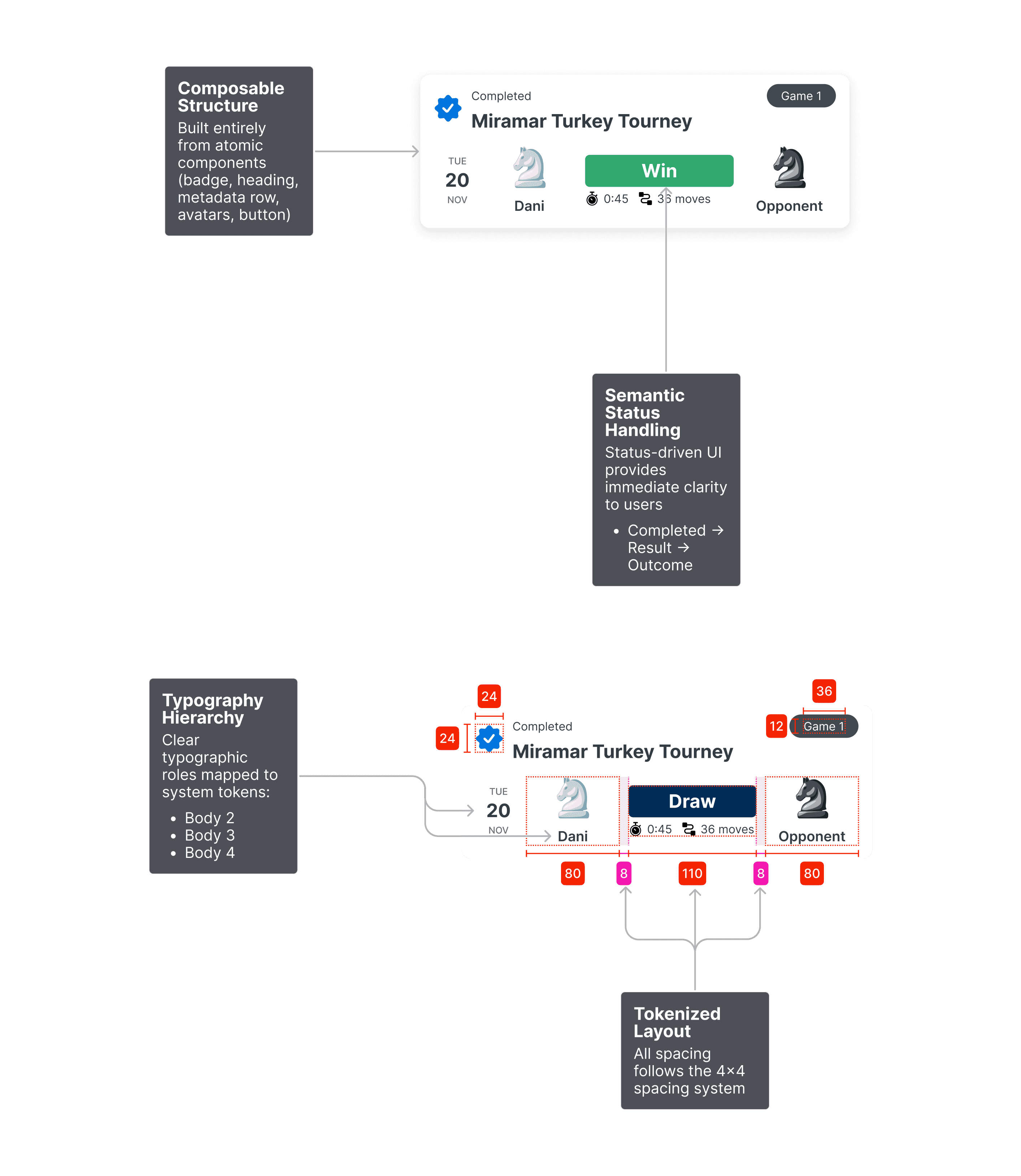
I was then able to design once and reuse organisms across multiple product surfaces based on the design system rules.
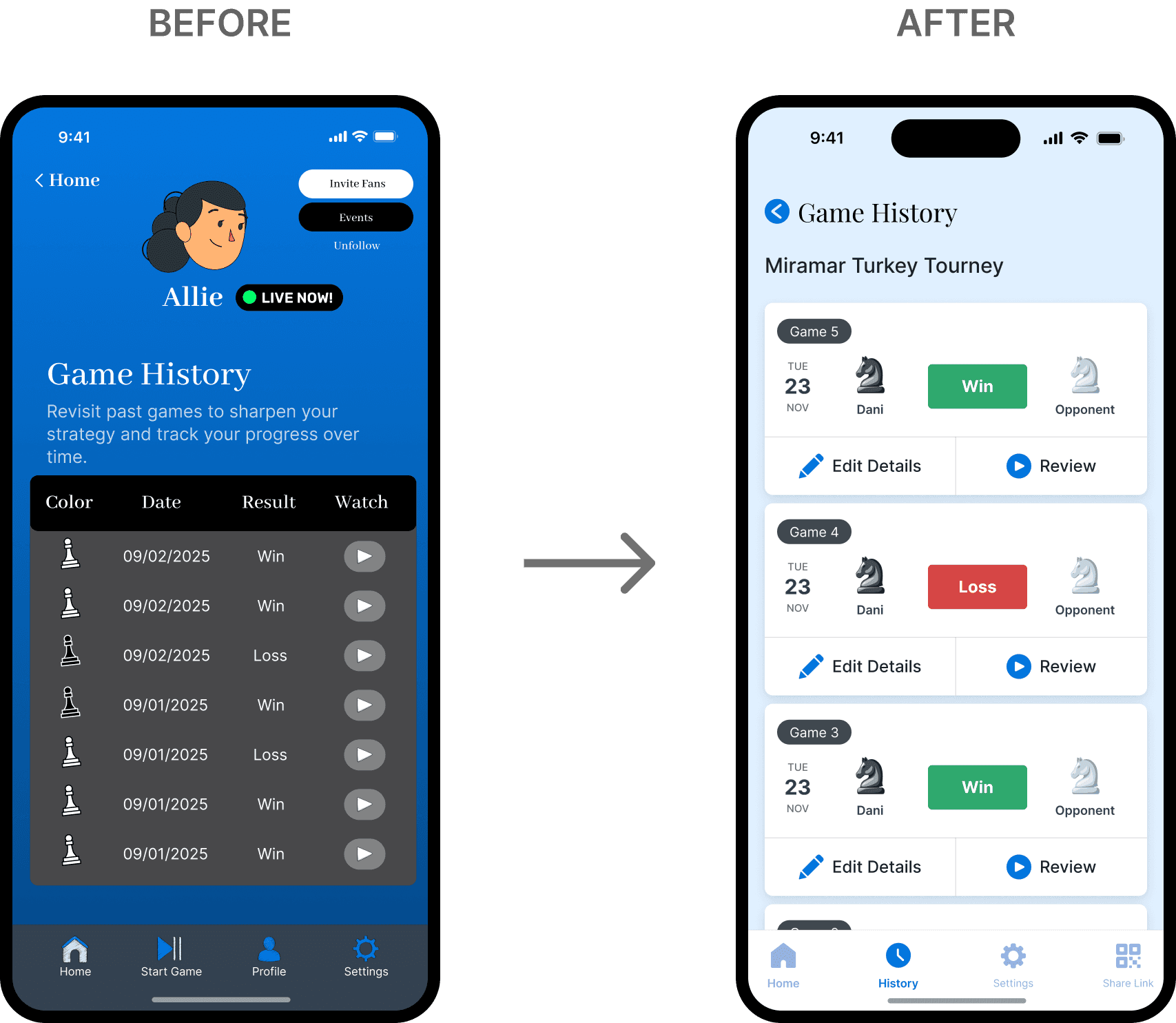
REUSABLE GAME RESULT CARD
The Results
The new system improved the UI via clarity, consistency and intentionality while reducing design and engineering development times.
Consistency
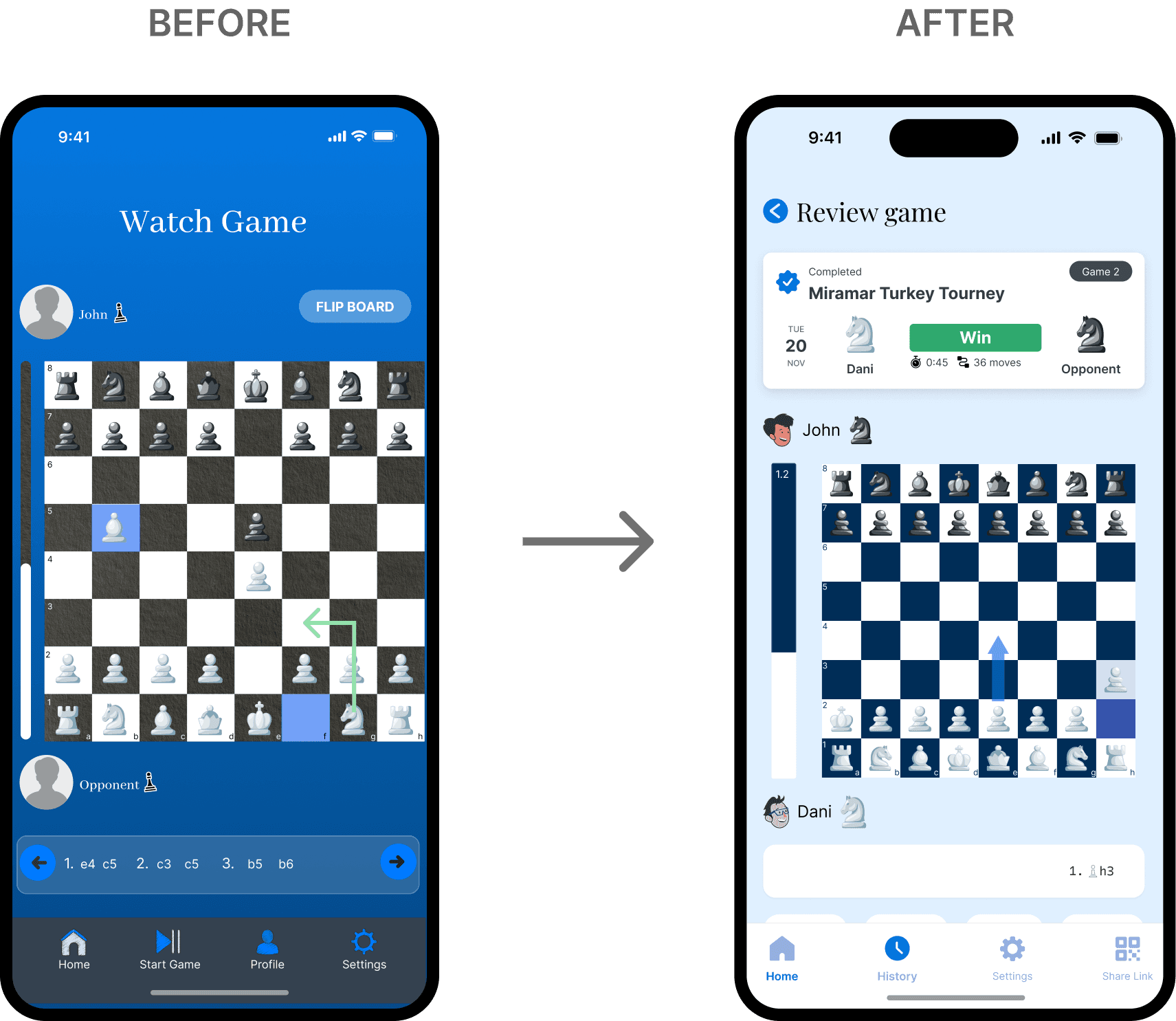
Improved cross-product consistency by standardizing a reusable game summary organism that scaled cleanly across multiple surfaces, reducing one-off UI decisions and visual drift.
Speed
Faster design and development iteration by composing the organism entirely from tokenized, atomic components, allowing updates to propagate safely without rework across five product areas.
Ease of use
Clearer communication of game outcomes through semantic states and structured metadata, making results easier to scan for both organizers and fans while supporting future variants and states.
Impact
The new system accelerates Live Pawn's time from concept to design and development as well as a better user experience for its customers.
+0%
+0%
UI built from shared components
-0%
-0%
Design-to-build time for new features
+0.0%
+0.0%
User task success rate
Reflections
What I learned
Foundations are key
Foundations scale faster than features. Investing early in tokens, atomic components, and shared patterns created compounding value across products and reduced long-term maintenance.
Semantics facilitate simplicity
Encoding meaning through states, color, and structure improved scanability and understanding without adding visual complexity.
Accessibility is an investment
Accessibility is easiest when it’s built in early. Auditing foundations upfront made inclusive improvements achievable and scalable, rather than reactive and costly later.
Next Steps
With engineering bandwidth limited, the next phase will be experimenting with leveraging AI-assisted tooling to continue momentum without blocking on development resources.
I plan to use Figma MCP, Cursor, and Claude to vibe code a small set of high-impact screens—such as tournament overviews and game summaries—directly from the existing design system.
